Skip to content
OpenAppBox
Multiplex
In developmentDeveloper Tools

Multiplex

Every server. One window.

The fast, native SSH client for Mac power users: split panes, safe broadcasting, live log highlighting, SFTP and jump hosts, in one calm workspace.

Multiplex is in development and not available yet. This page will link to the App Store when it’s released, and to the source code once the repository is public.

  • macOSIn development
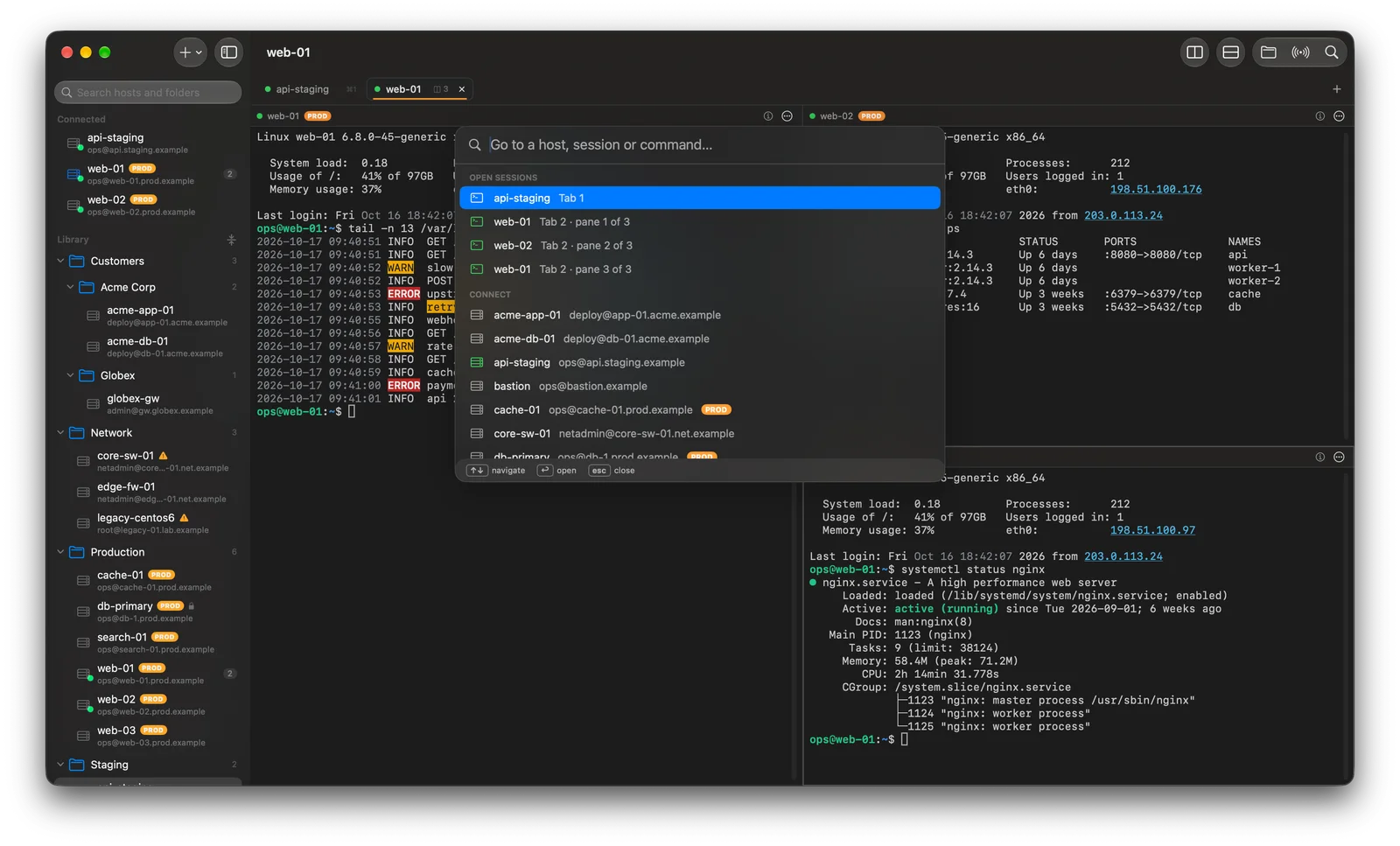
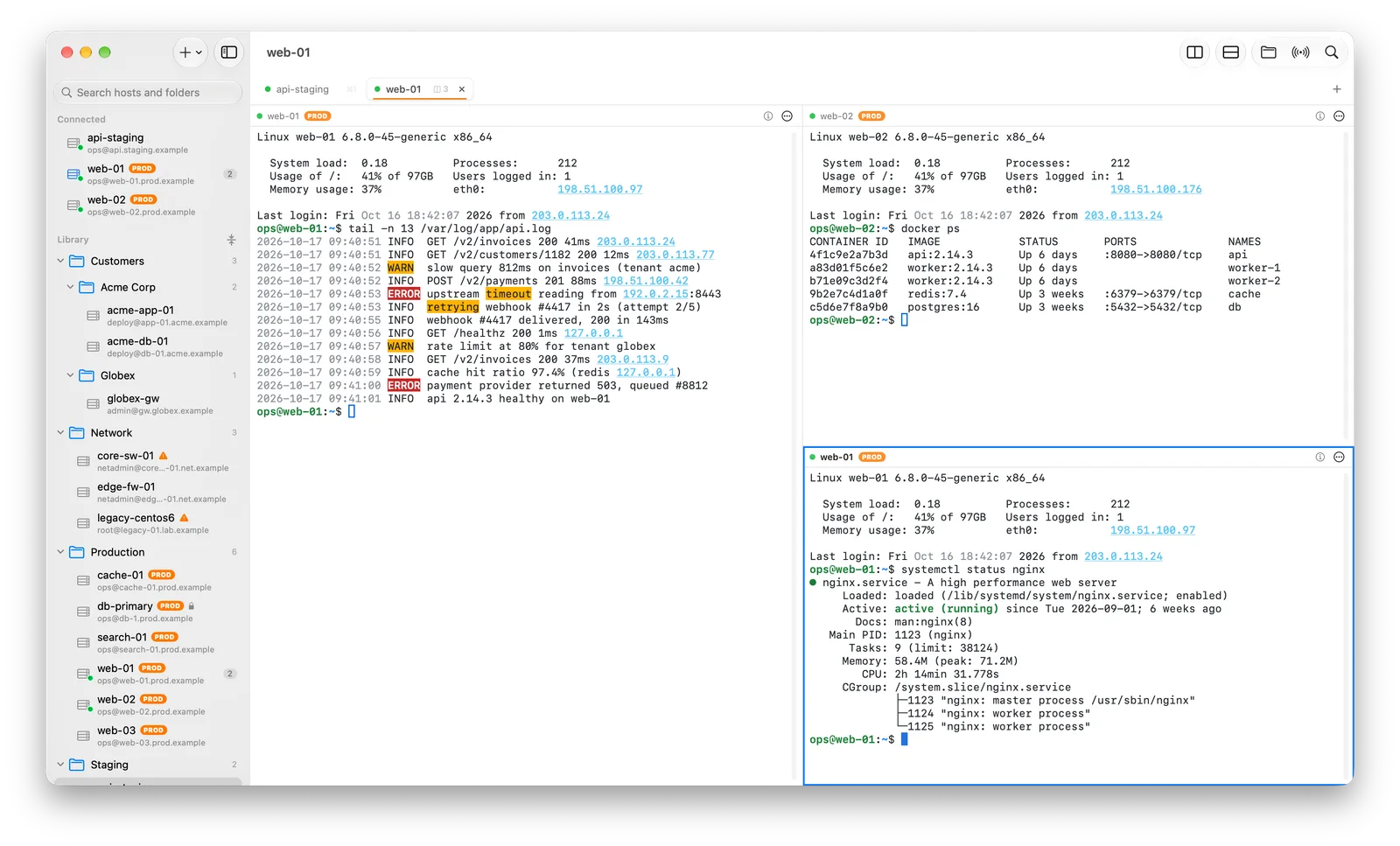
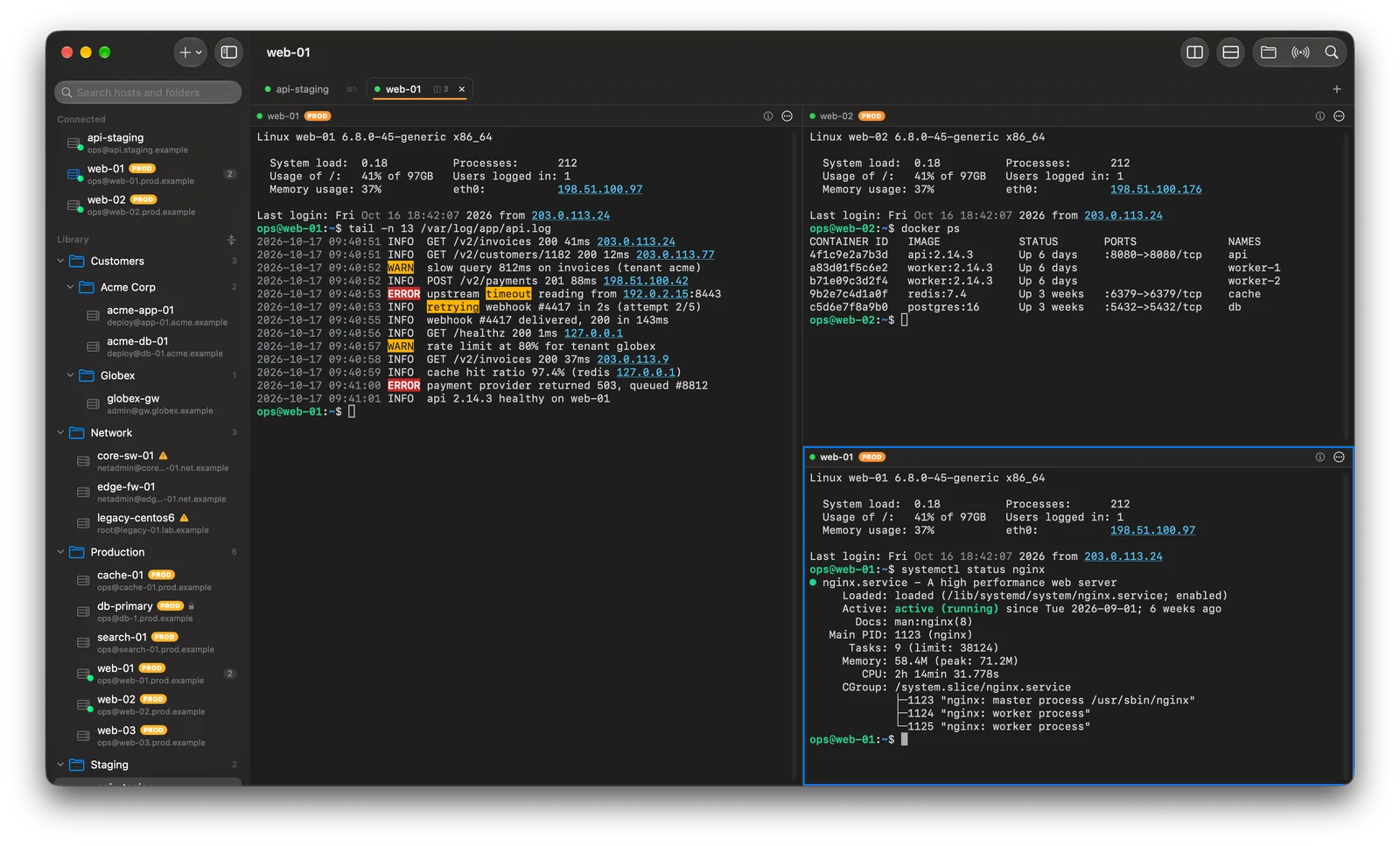
Multiplex window with a sidebar of servers organized in folders and three live SSH sessions in split panes, one showing an application log with errors and warnings highlighted.
Screenshots show the real app with invented demo data.
From Ctrl-C to a fresh prompt, even mid-flood
77 ms
Faster file transfers than the built-in sftp command
~70%
Simultaneous port-forward connections, stress-tested
500
One sandboxed process for every connection
1:1

Measured in our tests on Apple-silicon Macs against local servers. Real-world numbers depend on your network.

Overview

What we’re building with Multiplex

Multiplex is built for engineers who look after dozens or hundreds of machines. Your whole fleet lives in one searchable sidebar, sessions open in tabs and split panes, and the errors in a scrolling log light up the moment they appear.

It's a truly native Mac app, written in Swift for Apple silicon, so it starts in a blink and stays fast under a flood of output. And because every connection runs in its own sandbox, it treats your infrastructure with the care a security tool should.

Made for

  • System administrators
  • DevOps and SRE teams
  • Developers
  • Network engineers
  • Platform engineers

Planned features

Multiplex is in development. These describe the product direction and may change before release.

  • A host library that scales

    Folders inside folders, tags, notes and instant search. Production hosts wear a bright PROD badge everywhere they appear.

  • Tabs and split panes

    Split, resize and drag panes into any layout. Your open tabs come back right where you left them after a restart.

  • Live log highlighting

    Errors in red, warnings in amber, IP addresses underlined, as the output streams in. Copy and paste keep the original text.

  • Go to anything

    One search box for open sessions, saved hosts and commands. Type a few letters, press Return, and you're there.

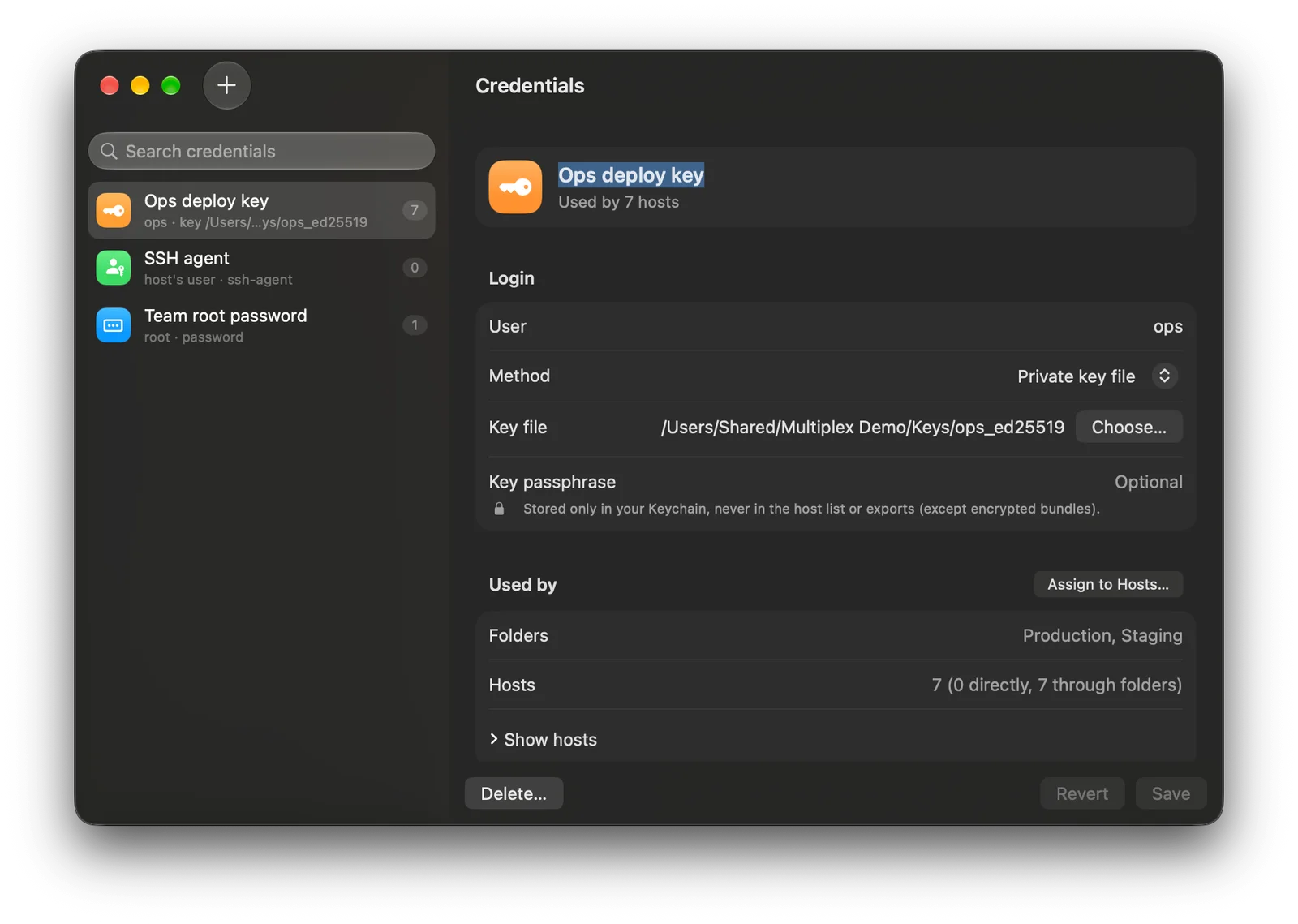
  • Credentials you set once

    Assign one key or password to whole folders. Rotate it in one place, and every host picks it up.

  • Truly native

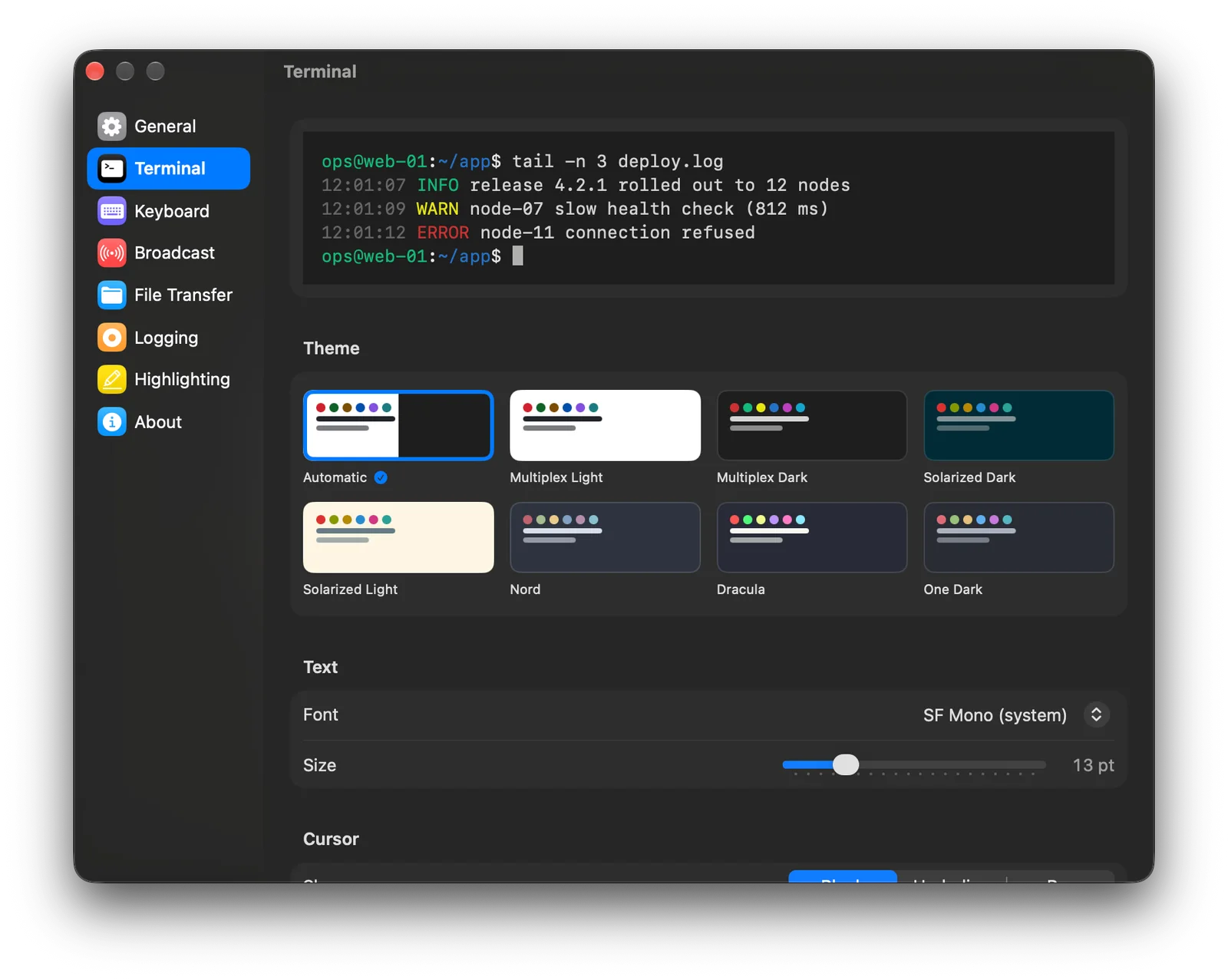
    Swift, AppKit and SwiftUI, with VoiceOver support and seven built-in themes. No Electron, no web views.

Broadcast

Type once. Run everywhere. Safely.

Rolling restarts, health checks and fleet-wide fixes in one go. Broadcasting panes are framed in red, the bar shows exactly who's listening, and production never receives a keystroke by accident.

  • Type live into every selected pane, or review a command before sending
  • Send to all at once, or staggered for rolling changes
  • Mark critical hosts as never receiving broadcast input
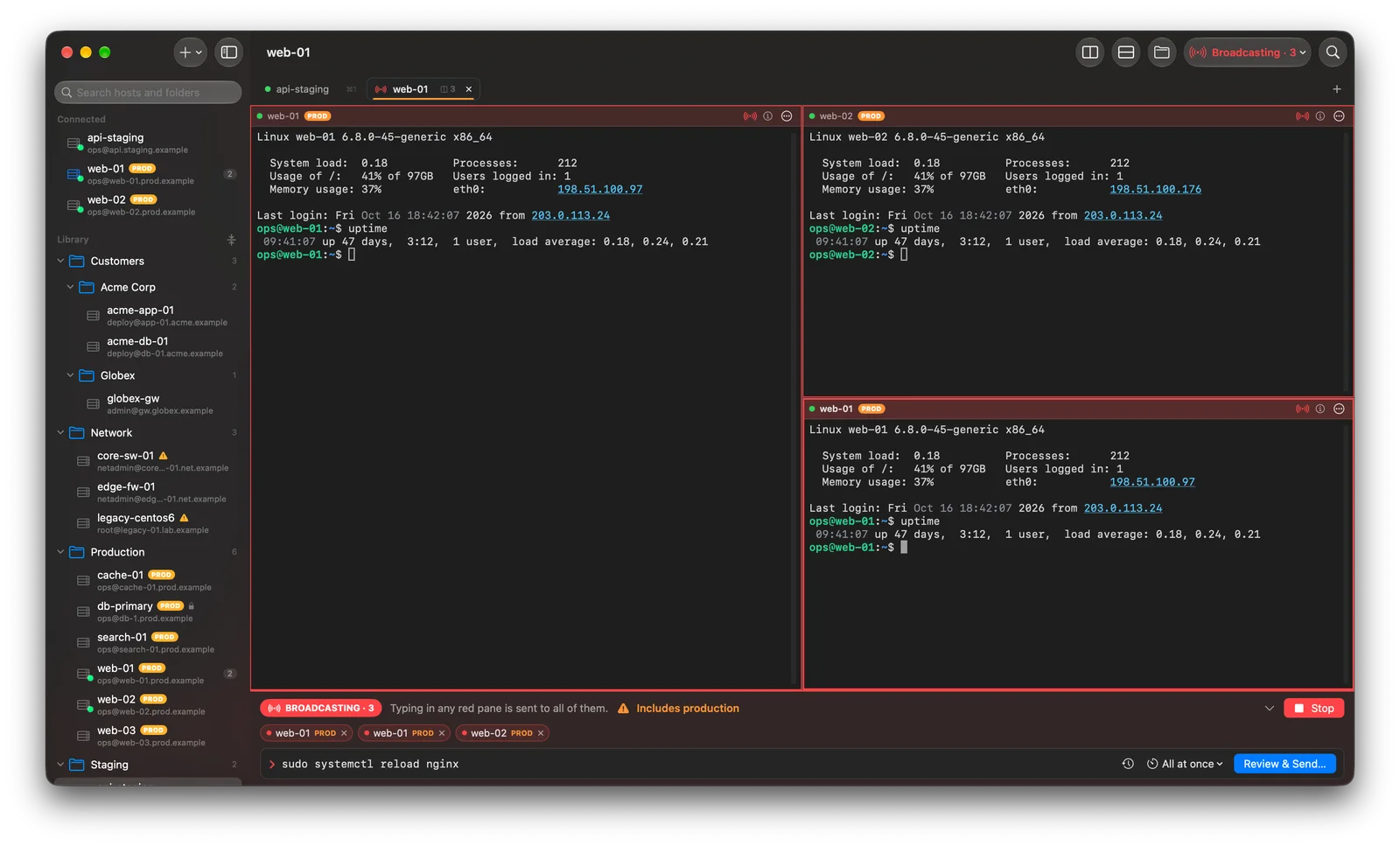
Multiplex broadcasting a command to three production servers, with red pane frames and a production warning.
Production warning built in

SFTP

File transfer that keeps up with you

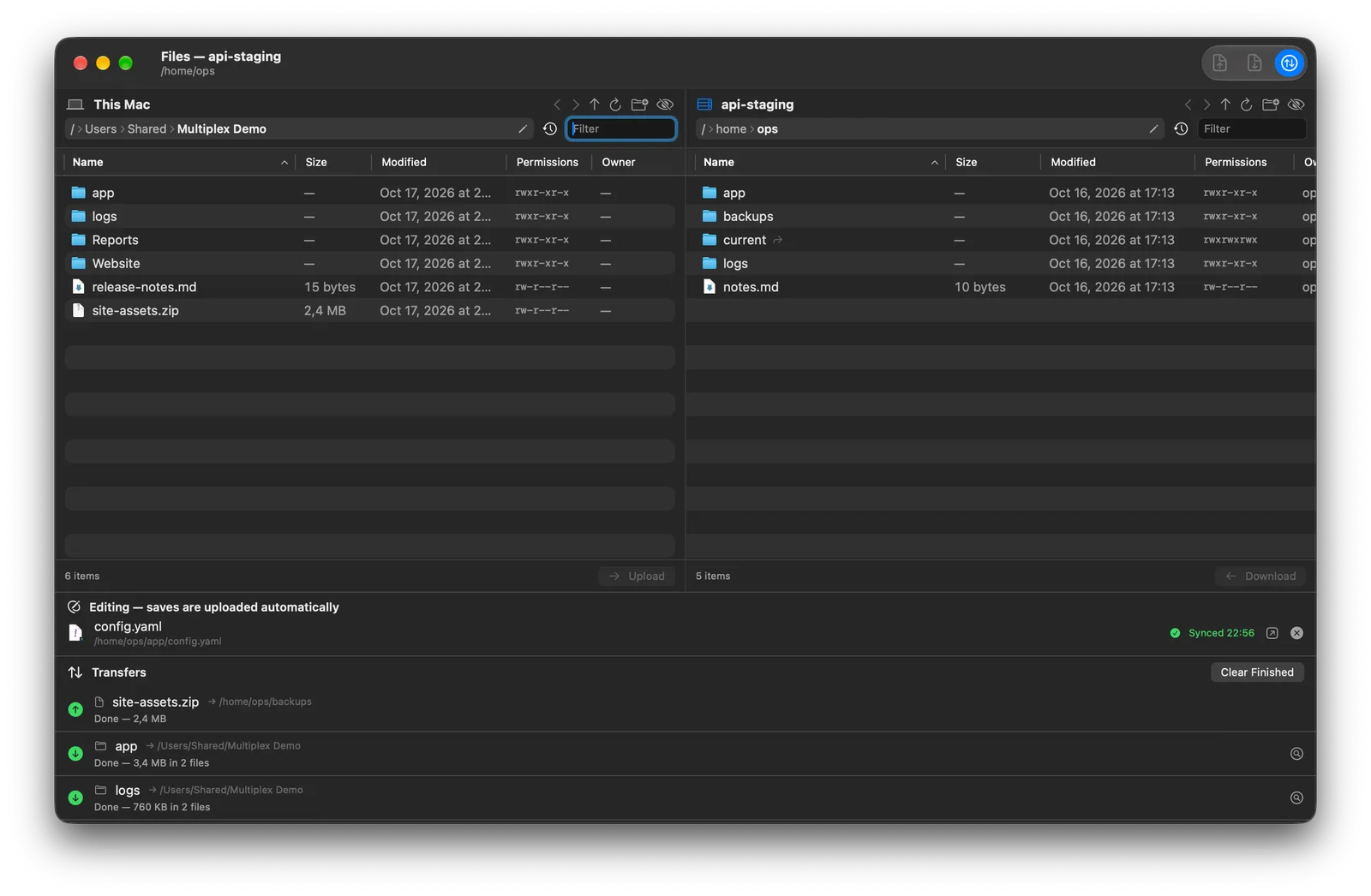
Open a file browser for any session: your Mac on one side, the server on the other. It reuses the connection you already have, so there's no second login and no second two-factor prompt.

  • Drag files and whole folders, with progress and time remaining
  • Interrupted transfers resume where they stopped
  • Edit a remote file in your favorite editor; every save uploads itself
Two-pane SFTP browser with the Mac on the left, the server on the right and a transfer queue below.
Resumes interrupted transfers

Jump hosts and tunnels

Reach the servers behind the bastion

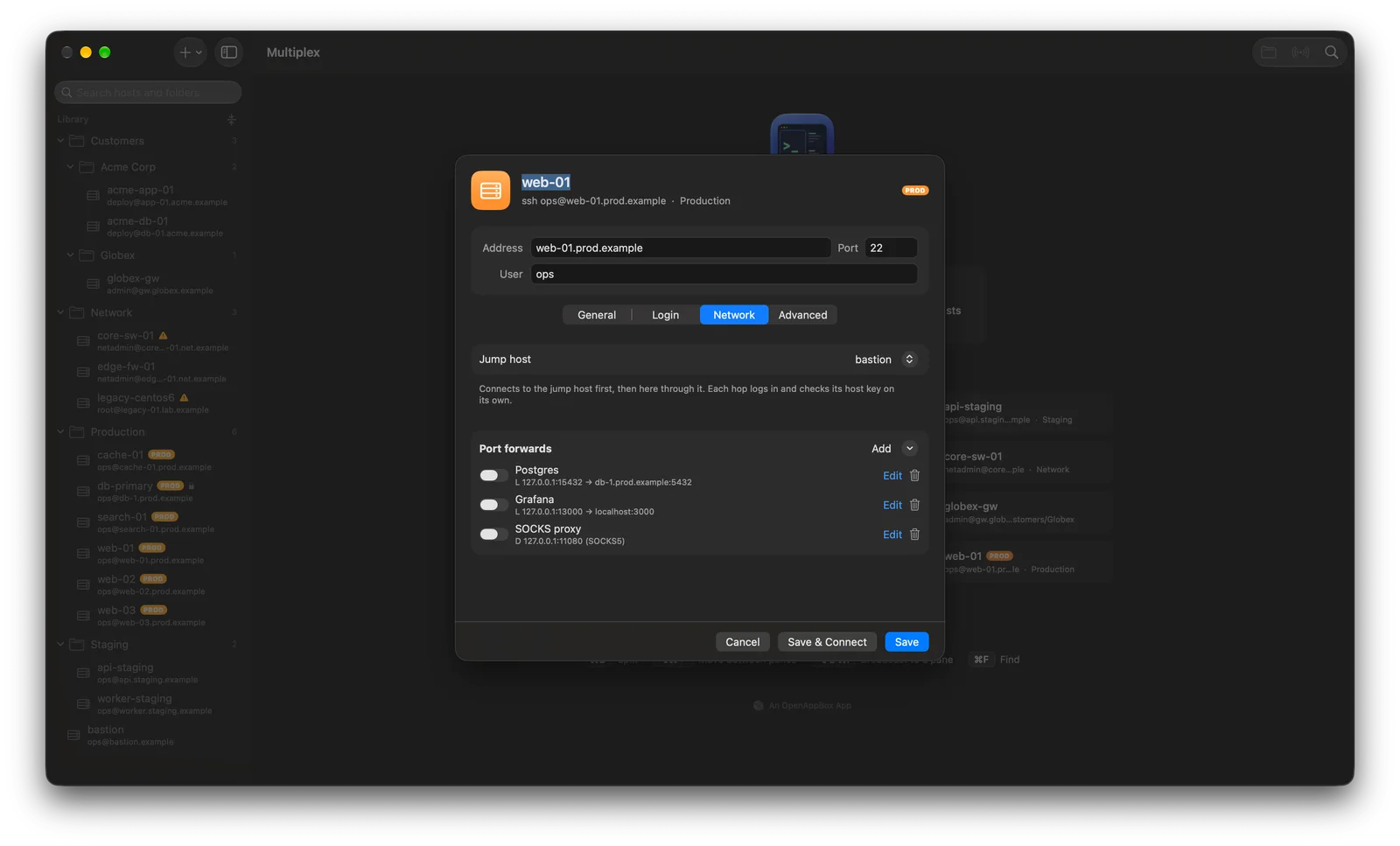
Set a jump host once and Multiplex connects through it every time, chains included. Save port forwards with the host, and they start with the connection.

  • Local, remote and SOCKS5 dynamic forwarding
  • Live status for every forward, with clear error messages
  • Safe defaults: forwards listen only on your Mac unless you allow more
Host editor showing a jump host and three saved port forwards.
Each hop verifies its own host key

Switch in minutes

Bring your hosts with you

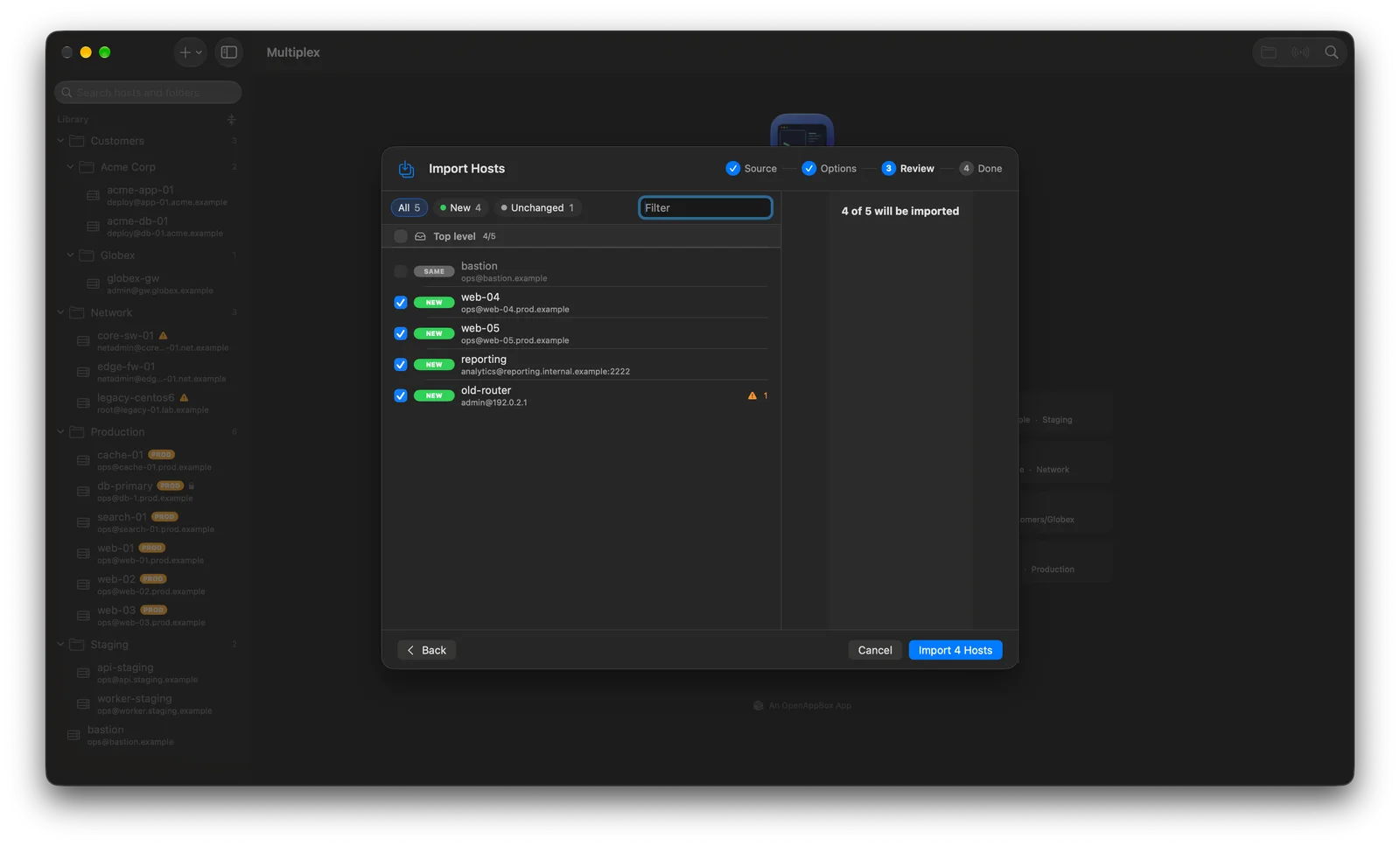
Import from your OpenSSH config, CSV files, shell aliases or SecureCRT sessions. Multiplex shows what's new, what changed and what stays the same before anything is saved, and you can undo it.

  • Jump hosts and port forwards come across too
  • Re-import a changed file and only the differences apply
  • Export for teammates in an encrypted bundle
Import review listing new and unchanged hosts from an OpenSSH config file.
Preview before anything is saved

A closer look

Why Multiplex

Reasons to choose Multiplex

  1. Built like a security tool

    Every SSH connection runs in its own sandboxed helper process. Even a malicious server exploiting a bug would land in an empty box, far from your files and your Keychain.

  2. Fast where it counts

    A native Apple-silicon app with no web views. Output floods don't freeze it, and Ctrl-C brings your prompt back almost instantly.

  3. Ready for old servers, too

    Per-host compatibility profiles reach older Linux systems and network gear, while every other connection stays on modern, secure settings.

  4. Priced like a utility

    A small yearly subscription instead of a large license fee, with automatic updates and support included.

Privacy and open source

Nothing hidden, nothing collected.

Private by design

  • Each connection isolated in its own sandbox
  • Passwords and passphrases only in the macOS Keychain
  • Host list encrypted at rest on your Mac
  • No analytics or telemetry

If you buy Multiplex through an app store, that store processes the transaction under its own privacy policy. See our privacy policy for details.

Open source

Multiplex’s source code is public, so anyone can review how it works and report issues in the open. A subscription is the easy way to use it, with automatic updates and support, and it funds continued development.

The repository link will appear here once it’s public. How we work in the open

Availability

Platforms and pricing

Platforms

  • macOSIn development

System requirements

  • macOS 26 or later
  • A Mac with Apple silicon (M1 or newer)
  • Any standard SSH server: Linux, BSD, macOS and network devices

Pricing

Price to be announced

A small annual subscription. The final price will be shown on its store listing.

Annual subscription. Renews automatically under the terms shown at purchase, and can be canceled anytime from your store account.

FAQ

Multiplex questions

When will Multiplex be available?

Multiplex is in its final stretch of development. We'll release it when it's dependable, and this page will link to the App Store as soon as it's available.

Is Multiplex a terminal emulator?

It's an SSH client with a fast built-in terminal, designed for working on remote servers rather than replacing your local shell.

Can I bring my existing setup?

Yes. Multiplex imports OpenSSH config files, CSV, shell alias files and SecureCRT sessions, and shows a preview before anything is saved.

Where are my passwords stored?

Only in the macOS Keychain. They're never written to the host list or included in exports, except inside an encrypted bundle you create with your own passphrase.

Does it support jump hosts and older servers?

Yes. Chains of jump hosts work, and each hop verifies its own host key. Per-host compatibility profiles connect to older systems without weakening your other connections.

Which Macs does it run on?

Multiplex is built for Macs with Apple silicon (M1 or newer) running macOS 26 or later.

How much will Multiplex cost?

Like every OpenAppBox app, Multiplex will be an annual subscription with a deliberately small price. The final price will be shown on the App Store.

More from OpenAppBox

In development

System Utilities

PureMac

Keep your Mac clean. Keep control.

A lightweight Mac cleaner that shows you what is using your storage and never removes anything without your say-so.

  • macOSIn development
Explore PureMac
PathDiffIn development

File Utilities

PathDiff

See exactly what's different. Then make it match.

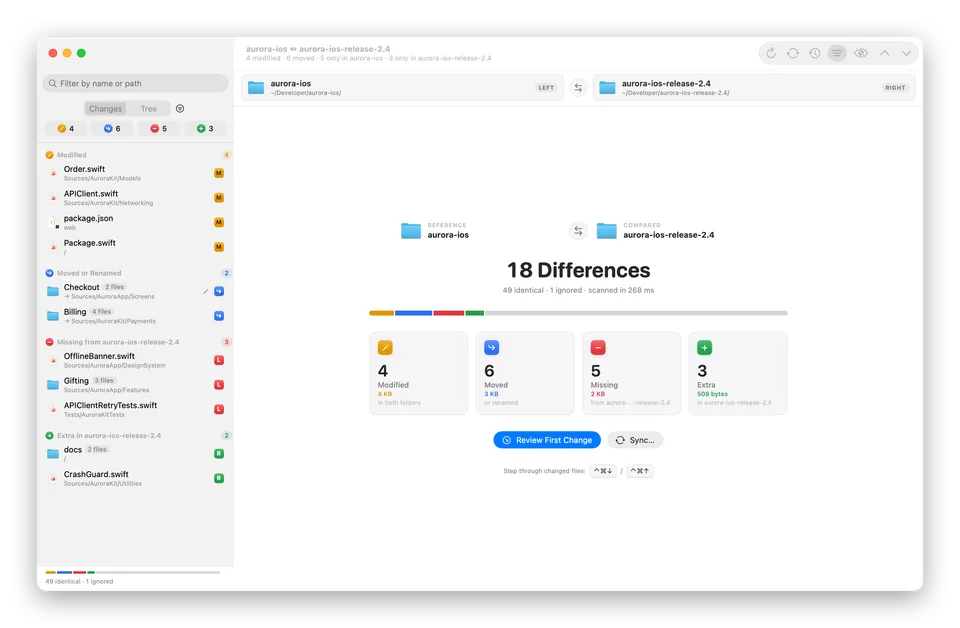
Compare two folders, from code projects to photo backups, and see what's modified, moved, missing or extra. Then sync them safely, with a preview and undo.

  • macOSIn development
Explore PathDiff