 In development
Developer Tools
Multiplex
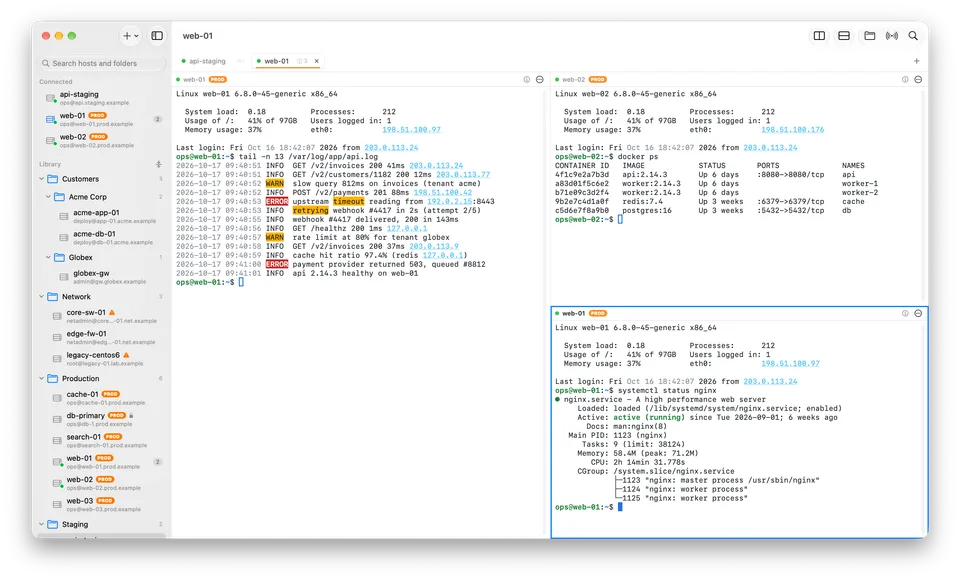
Every server. One window.
The fast, native SSH client for Mac power users: split panes, safe broadcasting, live log highlighting, SFTP and jump hosts, in one calm workspace.
- macOSIn development
Keep your Mac clean. Keep control.
A lightweight Mac cleaner that shows you what is using your storage and never removes anything without your say-so.
PureMac is in development and not available yet. This page will link to the App Store when it’s released, and to the source code once the repository is public.
Overview
PureMac helps you understand where your disk space has gone: large files, caches, duplicates and forgotten downloads. It explains what it finds in plain language so you can decide what to keep.
Cleanup tools work with your personal files, so they have to earn your trust. PureMac is open source, has no ads or upsells, and is designed to show exactly what an action will do before it happens.
PureMac is in development. These describe the product direction and may change before release.
See which folders and kinds of files are taking up the most space, in a view that's easy to scan.
Surface the biggest files in the folders you choose, sorted and ready to review.
Find identical files and decide which copy to keep, with both locations shown side by side.
Review app caches in locations you've granted access to, with notes on what is generally safe to clear.
Nothing is removed automatically. You confirm every item, and removed files go to the Trash first.
Every category explains what the files are and what happens if you remove them. No alarming warnings.
Understand
Before you clean anything, PureMac shows you the shape of your storage: which folders grew, which file types dominate, and what's been sitting untouched for months.
Decide
PureMac is designed around review, not automation. Items are listed with their size, location and a short explanation, and nothing moves until you confirm.
Tidy
Photos exported twice, installers downloaded three times. PureMac finds identical files and shows each copy's location, so keeping the right one is easy.
Why PureMac
PureMac explains and suggests. You decide. There's no one-click 'clean everything' button hiding consequences.
No inflated junk counts, red warning screens or pressure to upgrade. Just an honest view of your storage.
Anything that deletes files should be inspectable. The full source code is public.
A small annual subscription, without bundled extras you didn't ask for.
Privacy and open source
If you buy PureMac through an app store, that store processes the transaction under its own privacy policy. See our privacy policy for details.
PureMac’s source code is public, so anyone can review how it works and report issues in the open. A subscription is the easy way to use it, with automatic updates and support, and it funds continued development.
The repository link will appear here once it’s public. How we work in the open
Availability
Price to be announced
A small annual subscription. The final price will be shown on its store listing.
Annual subscription. Renews automatically under the terms shown at purchase, and can be canceled anytime from your store account.
FAQ
No. PureMac is designed to list what it finds and explain it. You choose what to remove, and removed items are moved to the Trash first so you can change your mind.
Mac App Store apps run in a sandbox that limits file access. Rather than asking for broad system permissions, PureMac works with the folders you explicitly share with it.
No. Scanning happens on your Mac. PureMac doesn't send file names, file contents or usage data to OpenAppBox or anyone else.
PureMac is in development. When it's released, this page will link to its App Store listing.
PureMac will be an annual subscription with a deliberately small price. The final price will be shown on the App Store.
More from OpenAppBox
In developmentDeveloper Tools
Every server. One window.
The fast, native SSH client for Mac power users: split panes, safe broadcasting, live log highlighting, SFTP and jump hosts, in one calm workspace.
 In development
File Utilities
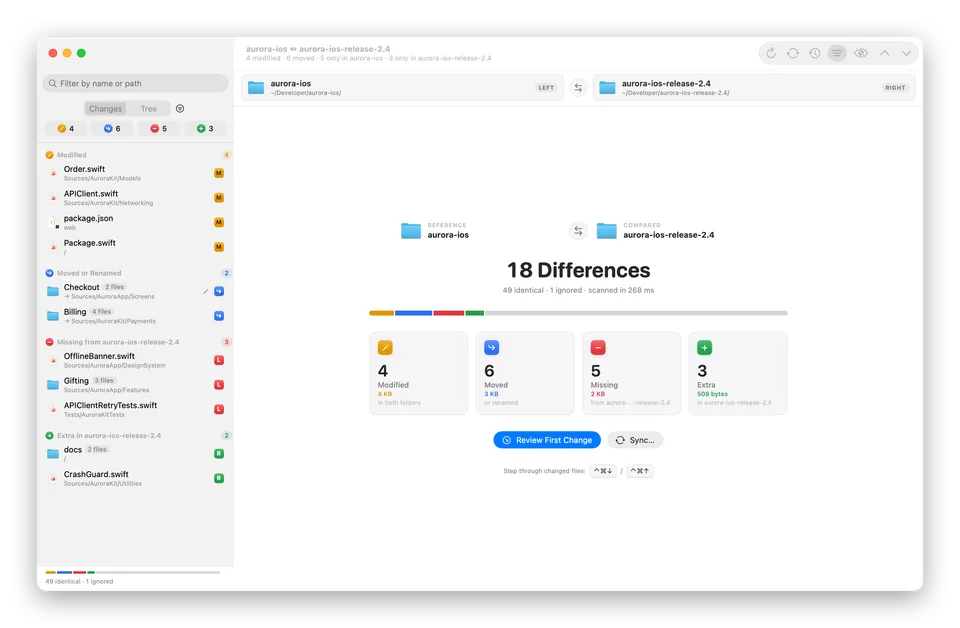
See exactly what's different. Then make it match.
Compare two folders, from code projects to photo backups, and see what's modified, moved, missing or extra. Then sync them safely, with a preview and undo.