Skip to content
OpenAppBox
PathDiff
In developmentFile Utilities

PathDiff

See exactly what's different. Then make it match.

Compare two folders, from code projects to photo backups, and see what's modified, moved, missing or extra. Then sync them safely, with a preview and undo.

PathDiff is in development and not available yet. This page will link to the App Store when it’s released, and to the source code once the repository is public.

  • macOSIn development
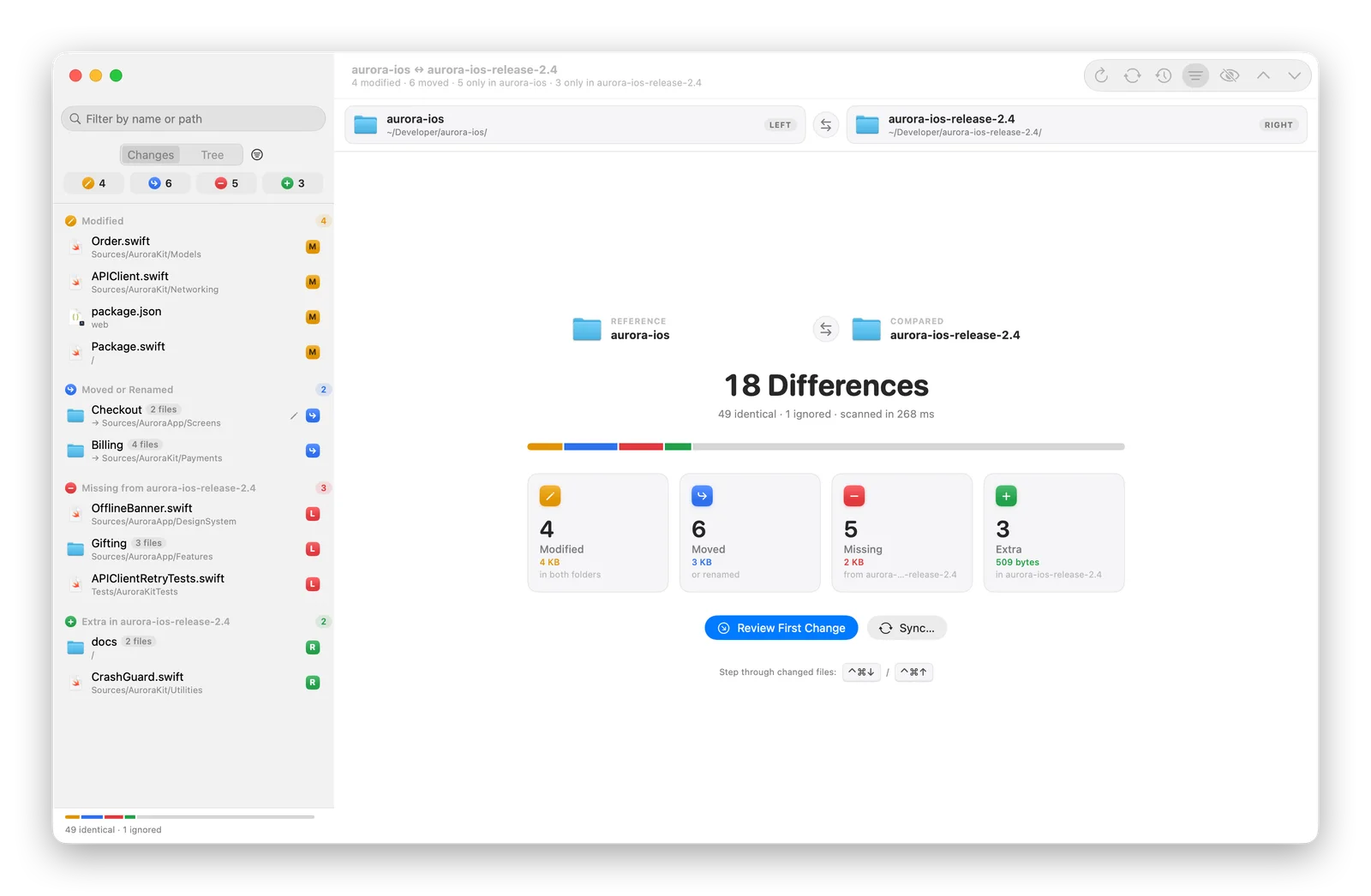
PathDiff comparing two copies of an iOS project, showing 18 differences: 4 modified, 6 moved, 5 missing and 3 extra, each with its size.
Screenshots show the real app with invented demo data.
To compare 150,000 files per side, from scratch
8.6 s
To refresh, even after a relaunch
2 s
Clear answers: modified, moved, missing, extra
4
Languages, each in its own macOS terms
19

Measured in our tests on two folders of 150,000 files each (about 900 MB per side).

Overview

What we’re building with PathDiff

Drop two folders onto PathDiff and within seconds you know everything: which files changed, which moved, what's missing and what's extra, each with its total size. Review code, photos and videos side by side, then bring the folders back in sync.

It's for developers comparing two copies of a project, photographers checking whether a backup drive really has everything, and anyone with two folders that are supposed to match. Every sync is previewed first and can be undone.

Made for

  • Developers
  • Photographers
  • Video creators
  • Anyone with backups

Planned features

PathDiff is in development. These describe the product direction and may change before release.

  • Four answers at a glance

    Every difference is sorted into modified, moved, missing or extra, with file counts and total sizes for each.

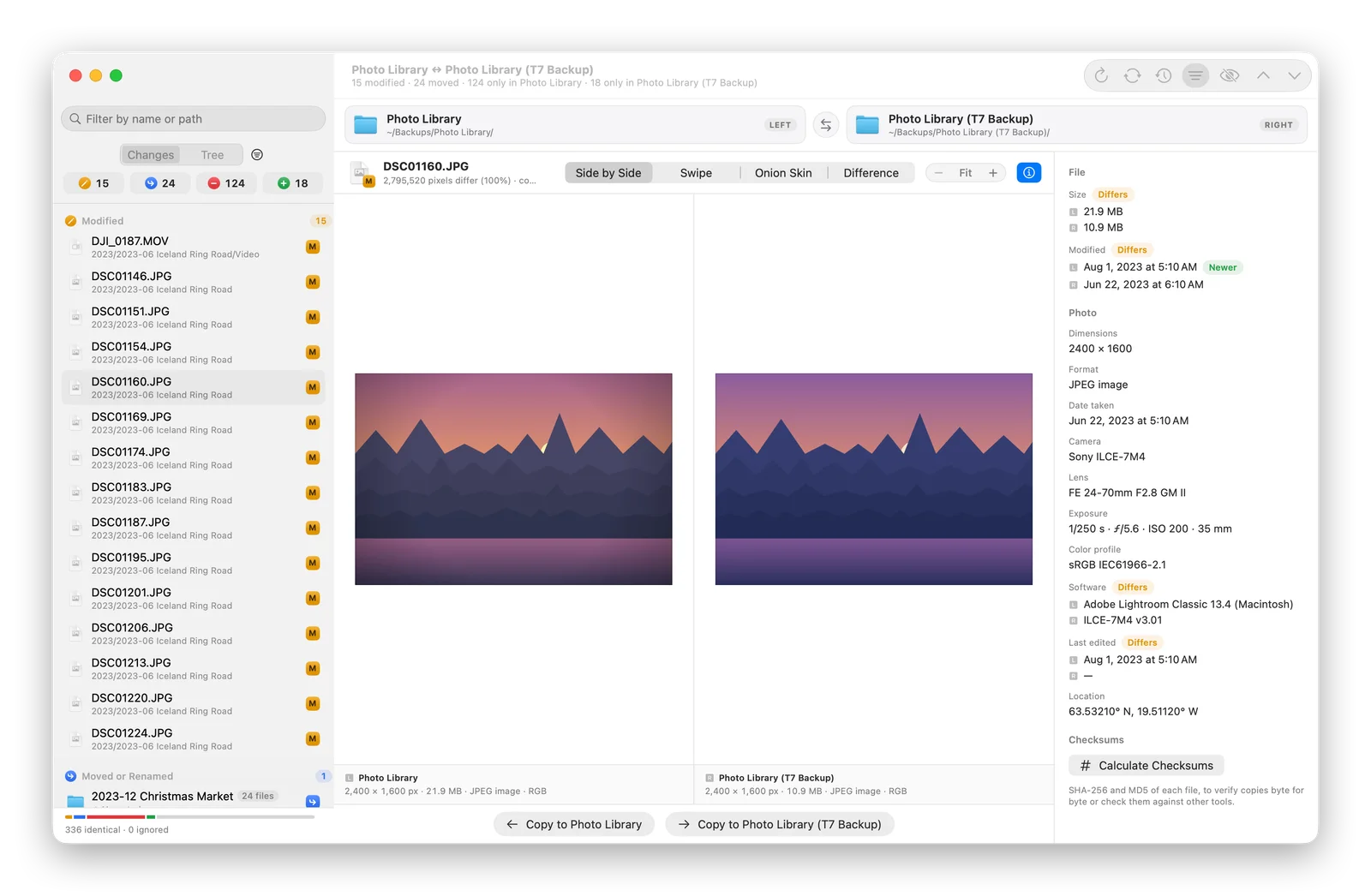
  • Compare photos like a photographer

    Side by side, swipe, onion skin or a pixel-difference map, with camera and EXIF details lined up.

  • Videos and audio, side by side

    Two players that play, pause and seek together, plus codec, resolution and bit-rate details.

  • Knows your .gitignore

    Each folder's own ignore rules are respected, so build output and clutter stay out of the way.

  • Quick or byte by byte

    Trust matching sizes and dates for huge video drives, or read every byte when you need certainty.

  • Reports and patches

    Export a Markdown or CSV report, or a patch that git can apply.

Smart matching

It knows when a file just moved

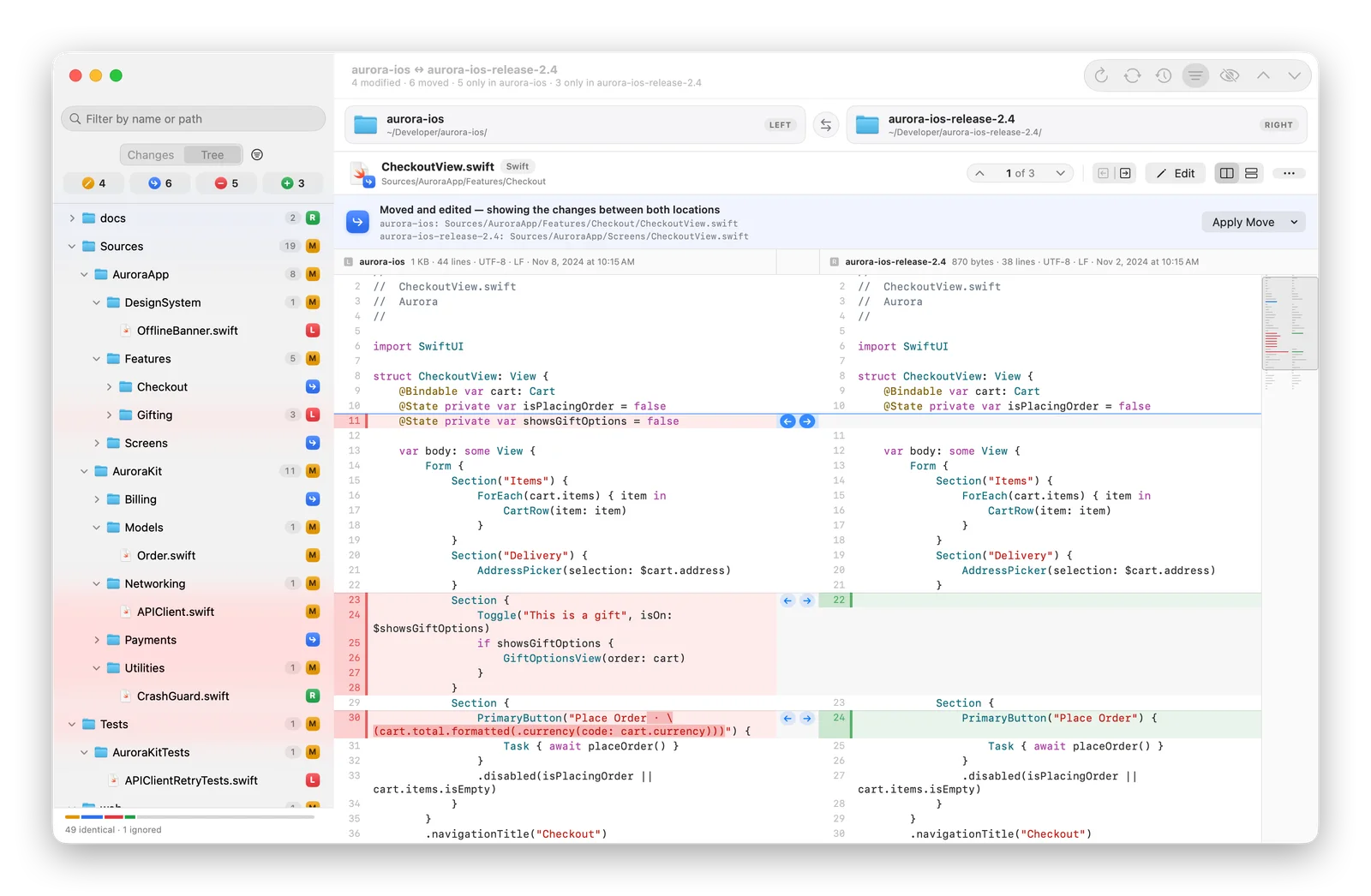
Most compare tools report a renamed folder as hundreds of deletions and additions. PathDiff recognizes moved files by their contents, even when they were moved and edited, and one click applies the move on the other side.

  • Identical files matched across any path
  • Moved-and-edited files matched by name and content
  • A renamed folder reported as one move
Folder tree with a checkout screen that was moved to a new folder and edited, with the changes between both locations.
One move, not 200 deletions

For developers

Diffs you'll actually enjoy reading

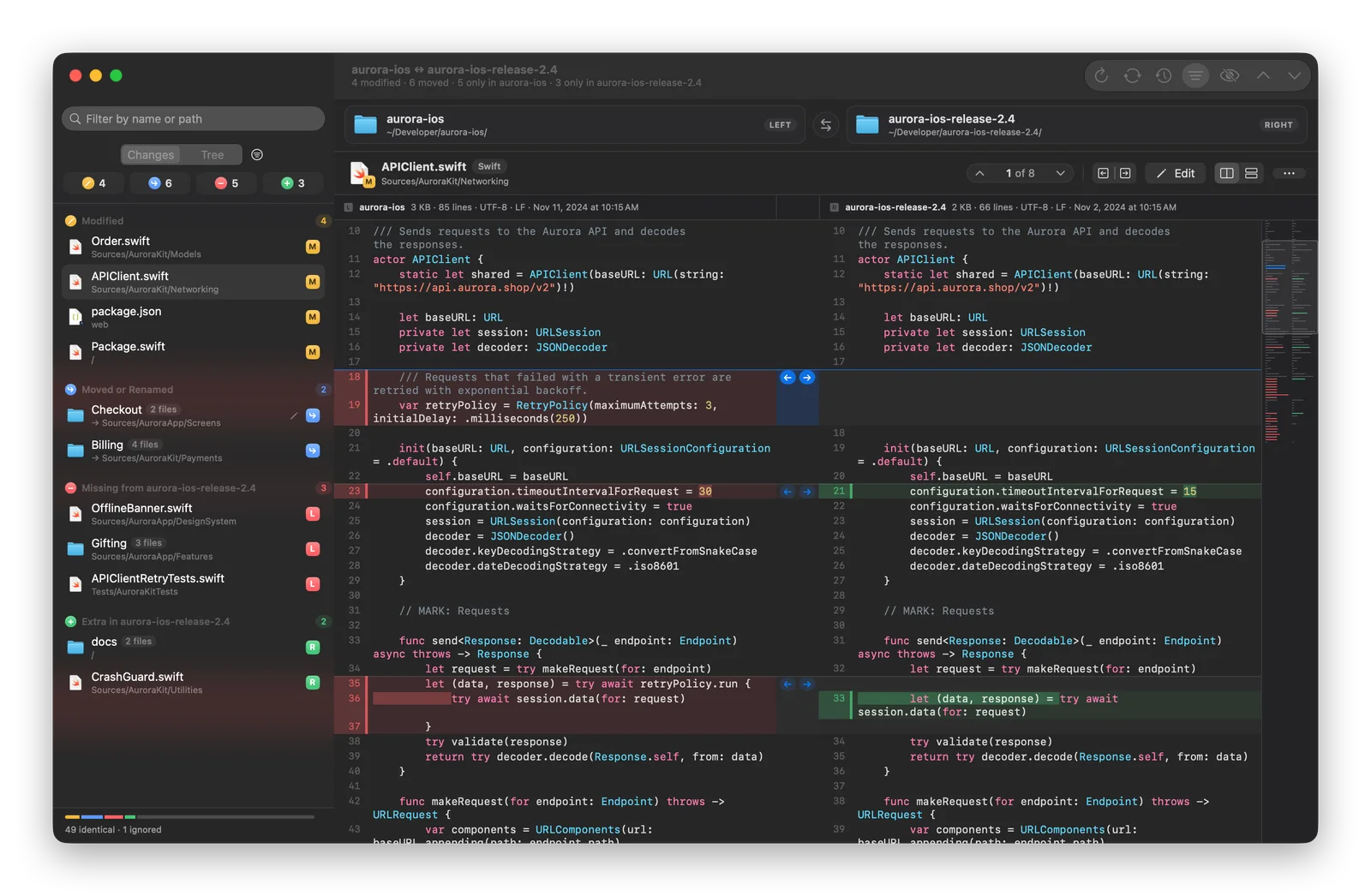
Side by side or unified, with the exact changed words highlighted, syntax colors and a minimap of every change. Jump between changes, copy a block to the other side, or edit both files right in the diff.

  • Syntax highlighting for about 25 languages
  • Edits keep each file's encoding and line endings
  • Export a patch that git can apply
Side-by-side diff of a Swift file in dark mode, with changes highlighted and a minimap on the right.
Word-level highlights

For photographers

Is your backup really complete?

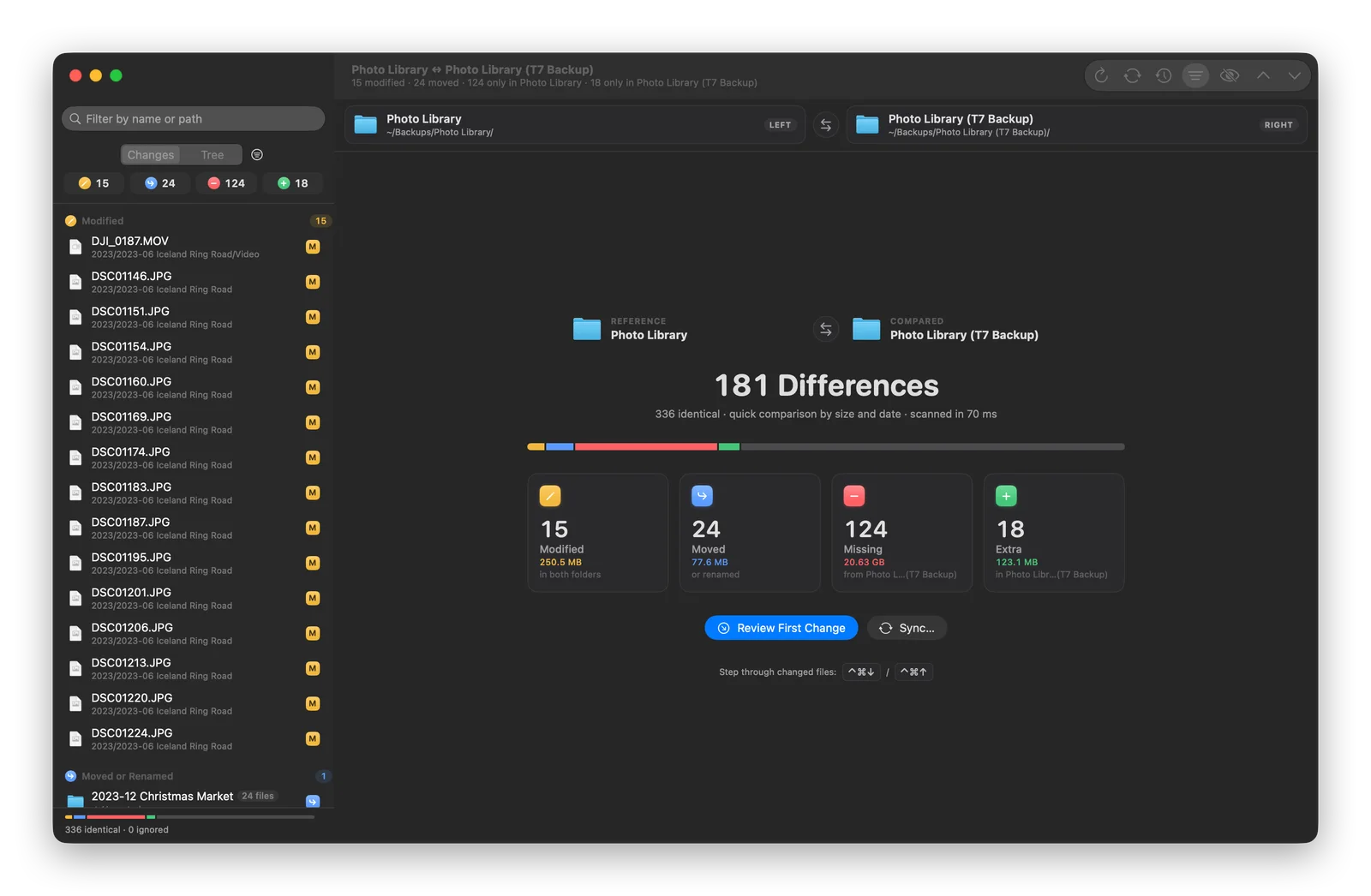
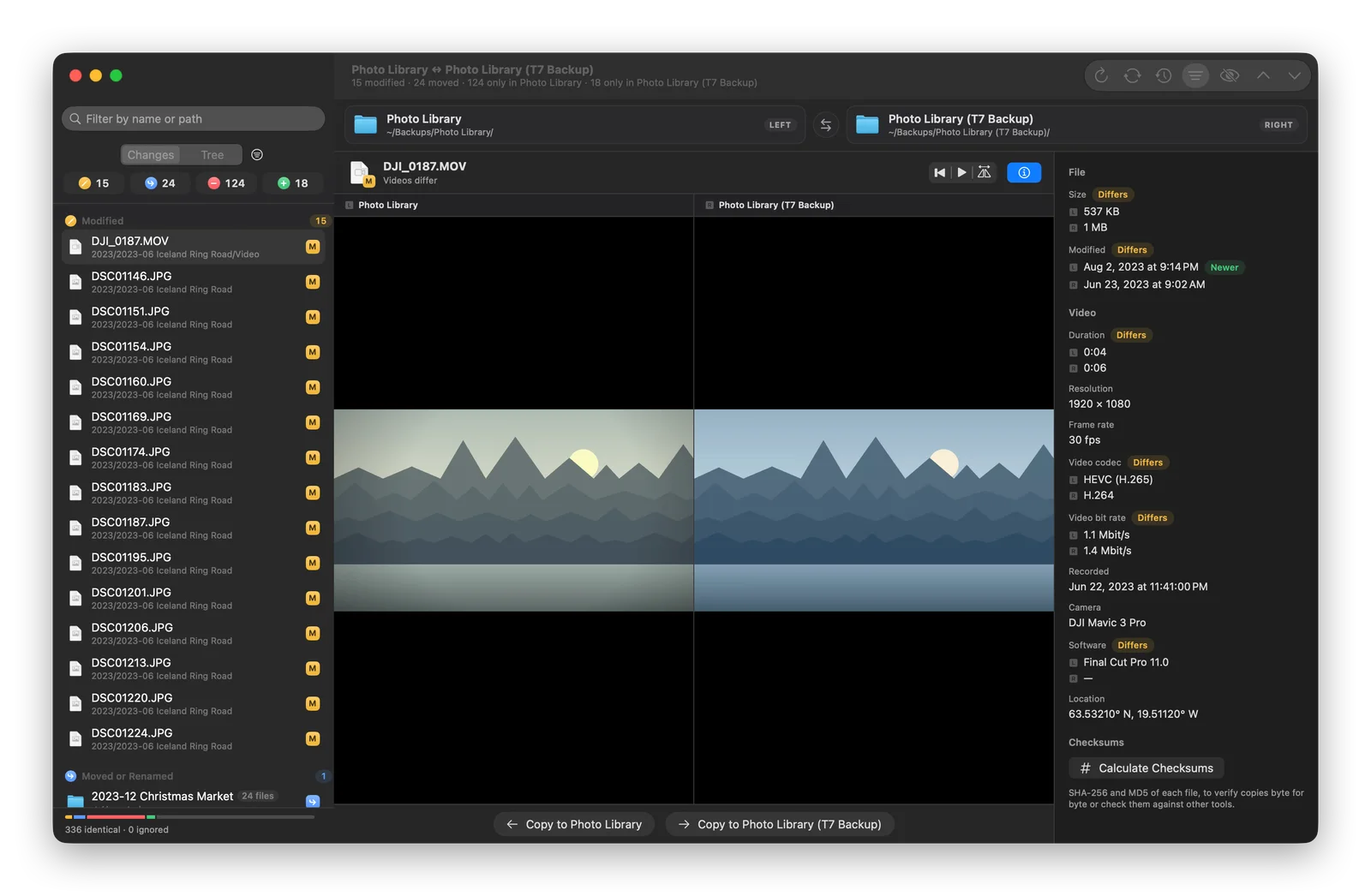
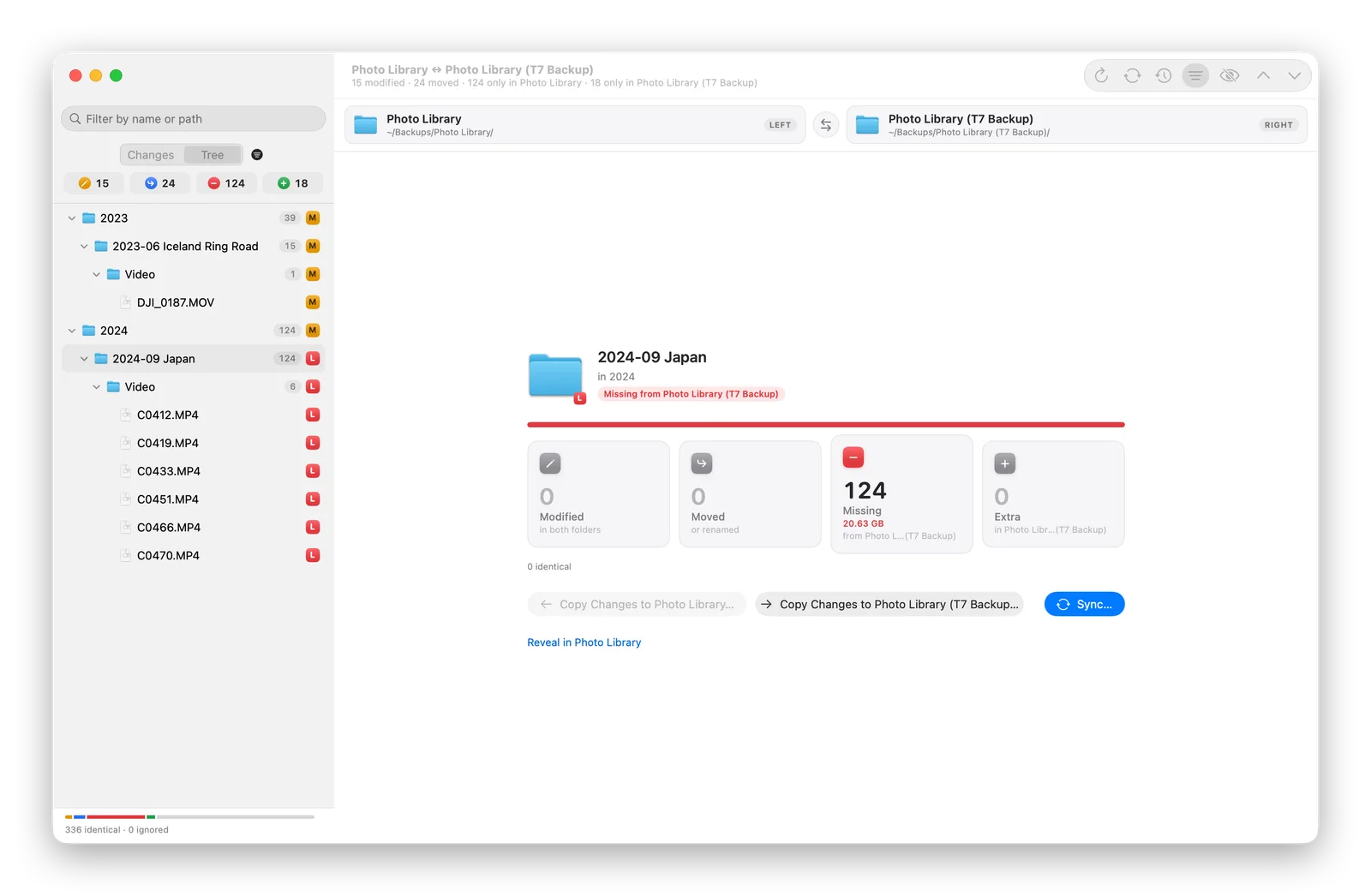
Point PathDiff at your photo library and your backup drive. In seconds it shows the trip that was never backed up, the photos you edited since, and how many gigabytes are involved, even on terabyte drives.

  • Quick comparison for huge video drives
  • Reorganized photos recognized as moves, not missing files
  • Drive clutter from macOS and Windows ignored automatically
PathDiff comparing a photo library with a backup drive: 15 modified, 24 moved, 124 missing and 18 extra files, with sizes.
Ready for exFAT drives

Safe sync

Sync without the anxiety

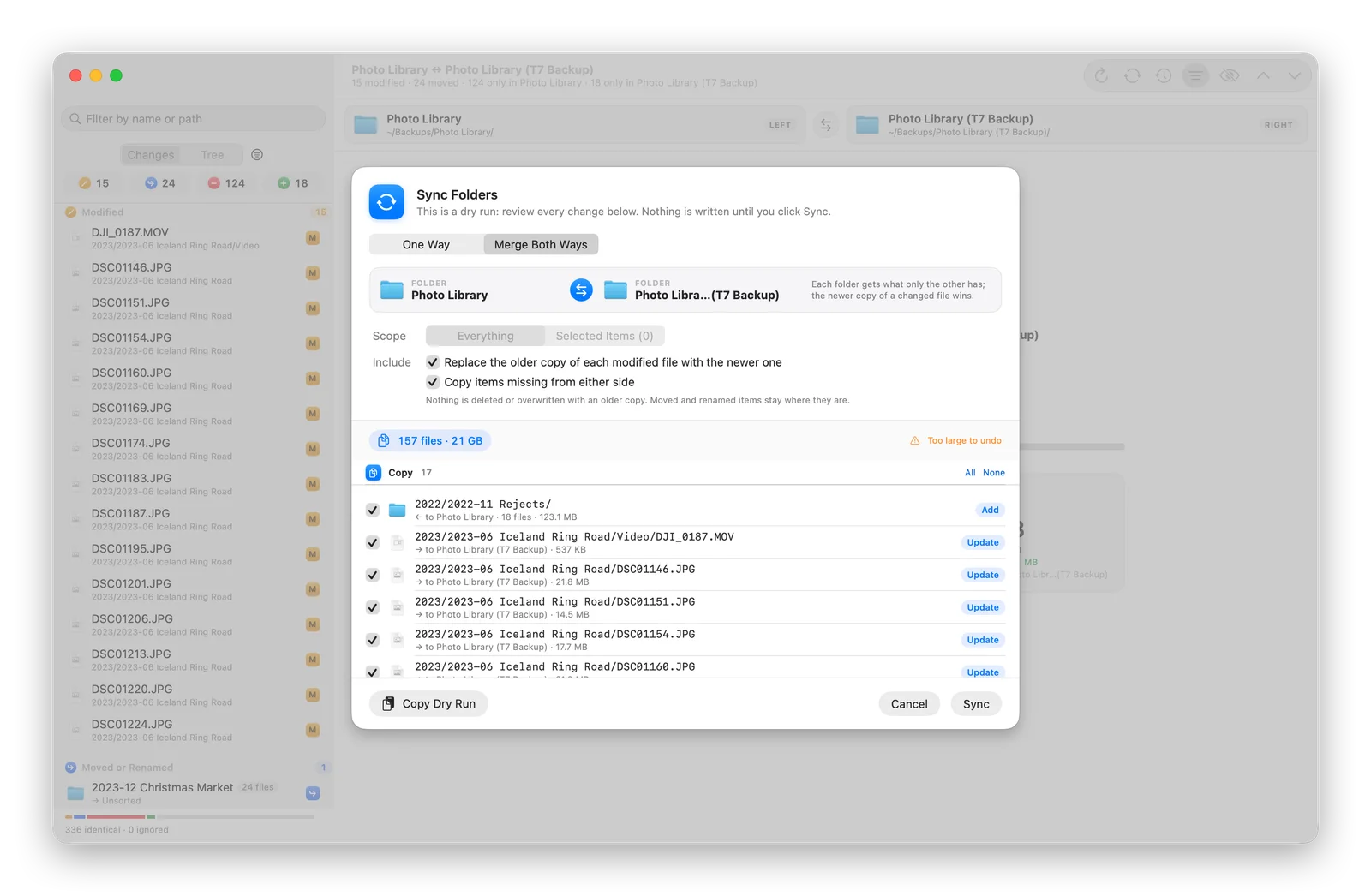
Choose a direction, or merge both ways so each folder gets what only the other has. Before anything is written, PathDiff lists every single operation, so you can untick what you don't want.

  • A full dry run before any change
  • Removed files go to the Trash, never deleted outright
  • Undo the whole sync, even after a relaunch
The Sync sheet in Merge Both Ways mode, listing every file to copy in both directions.
Undo anything with ⌘Z

A closer look

Why PathDiff

Reasons to choose PathDiff

  1. Safe on your only backup

    Comparing never changes anything. Syncing shows every operation first, removals go to the Trash, and the whole sync can be undone.

  2. Built for big folders

    Folders are scanned in parallel and results are remembered, so a refresh only reads what changed.

  3. Understands what's inside

    Code, photos, video and audio each get a comparison view made for them, not just a list of file names.

  4. Priced like a utility

    A small yearly subscription instead of a large license fee, with automatic updates and support included.

Privacy and open source

Nothing hidden, nothing collected.

Private by design

  • Works entirely offline, with no network access at all
  • Sandboxed: it only sees the folders you choose
  • Nothing is written until you confirm a sync
  • No analytics or telemetry

If you buy PathDiff through an app store, that store processes the transaction under its own privacy policy. See our privacy policy for details.

Open source

PathDiff’s source code is public, so anyone can review how it works and report issues in the open. A subscription is the easy way to use it, with automatic updates and support, and it funds continued development.

The repository link will appear here once it’s public. How we work in the open

Availability

Platforms and pricing

Platforms

  • macOSIn development

System requirements

  • macOS 27 or later
  • Any two folders, on internal or external drives (exFAT and FAT included)
  • Works entirely offline

Pricing

Price to be announced

A small annual subscription. The final price will be shown on its store listing.

Annual subscription. Renews automatically under the terms shown at purchase, and can be canceled anytime from your store account.

FAQ

PathDiff questions

When will PathDiff be available?

PathDiff is in its final stretch of development. This page will link to the App Store as soon as it's released.

How is PathDiff different from Finder or a simple diff tool?

Finder can't tell you what's different between two folders, and most diff tools compare paths, so a renamed folder looks like hundreds of deletions. PathDiff detects moves, understands photos, videos and code, shows sizes, and syncs safely with a preview and undo.

Is it safe to use on my only backup?

Yes. Comparing never changes anything. Syncing lists every operation first, removes files only if you choose to mirror (and then to the Trash), and the whole sync can be undone. Merging both ways never deletes anything.

My backup drive has terabytes of video. Will it take forever?

No. The Quick comparison treats files with the same size and date as identical without reading them, and only compares the rest byte by byte. Results are remembered, so the next comparison only checks what changed.

Do my folders need to be git repositories?

No. PathDiff works with any two folders. If they happen to be git projects, it respects their .gitignore files and skips files git already knows are unchanged.

How much will PathDiff cost?

Like every OpenAppBox app, PathDiff will be an annual subscription with a deliberately small price. The final price will be shown on the App Store.

More from OpenAppBox

MultiplexIn development

Developer Tools

Multiplex

Every server. One window.

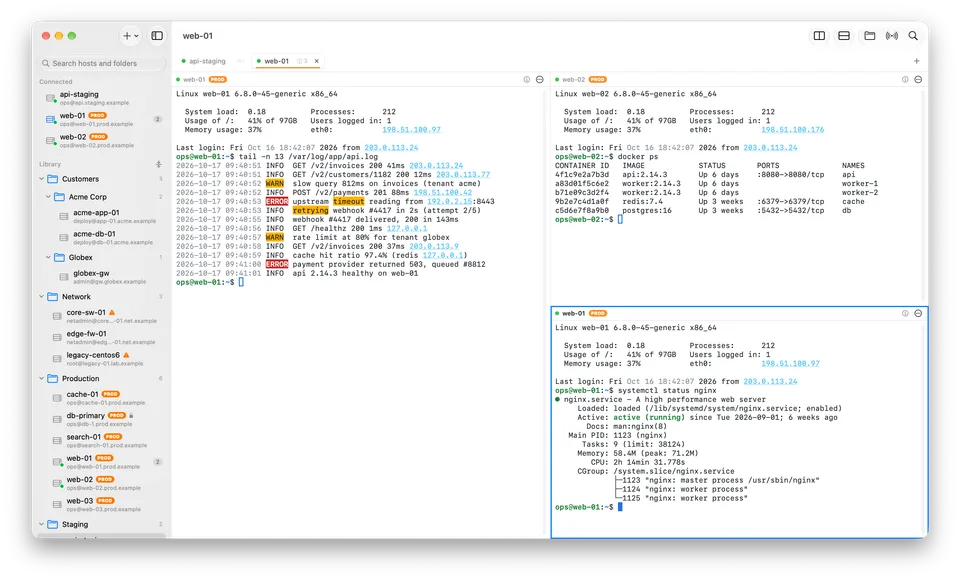
The fast, native SSH client for Mac power users: split panes, safe broadcasting, live log highlighting, SFTP and jump hosts, in one calm workspace.

  • macOSIn development
Explore Multiplex
In development

System Utilities

PureMac

Keep your Mac clean. Keep control.

A lightweight Mac cleaner that shows you what is using your storage and never removes anything without your say-so.

  • macOSIn development
Explore PureMac