Skip to content
OpenAppBox
PureClean
AvailableSystem Utilities

PureClean

See what's filling your Mac. Free it up safely.

PureClean shows exactly what fills your Mac and frees space with one safe decision: every item previewed, everything moved to the Trash, nothing ever sent off your Mac.

  • $3.00 / year
  • Updates and support included
  • Cancel anytime
  • macOSAvailable
Screenshots show the real app with invented demo data.
To scan about 500,000 files
<20 s
Reviewed, narrowly scoped Smart Clean rules
25
Of cleanups go to the Trash first, so you can put them back
100%
Languages, including a fully right-to-left Arabic interface
23

Scan speed measured on an Apple-silicon Mac; it depends on your Mac and disk. Sizes in the screenshots are illustrative.

Overview

What PureClean does

Running out of space? PureClean maps your storage in seconds and shows exactly where it went, in interactive maps instead of cryptic lists. Then Smart Clean picks only what your Mac rebuilds by itself, like app and browser caches, downloaded updates and old logs. One total, one button.

Want more? Unused developer data, old installers and leftovers of deleted apps are each one tap away, and Applications shows what every app really costs you. Every item is shown before anything moves, everything goes to the Trash, and any cleanup can be put back.

Made for

  • Anyone with a full disk
  • People who drag apps to the Trash
  • Photographers and video editors
  • Developers
  • Privacy-minded people

Features

  • A scan you can watch

    A live chart fills in as PureClean works. It reads only names, sizes and dates, never what's inside your files.

  • Free up more, one tap at a time

    Unused development files, installers older than a month and leftovers of deleted apps, each explained in a single line.

  • One copy is enough

    Byte-identical files found by fingerprint and SHA-256. One copy is always kept, and a file you edited since is never removed.

  • Built for people who build

    Xcode data, simulators, package caches and node_modules: see how much space each uses and what it takes to recreate it.

  • Real measurements, no snake oil

    Memory pressure, CPU, disk and thermal state straight from macOS, with the evidence behind every tip. No “RAM cleaning”.

  • Changed your mind? Put it back

    Every cleanup is recorded before the first file moves. Restore items one by one, or a whole cleanup at once.

Smart Clean

Gigabytes back. One click.

Open Smart Clean and the work is done: 25 reviewed rules have picked only what your Mac recreates by itself. You see one number and one button. Anything personal, anything that might matter and anything ambiguous is never chosen for you.

  • App and browser caches, downloaded updates and month-old logs
  • Caches of apps you're using are held back, and join once you quit them
  • Experts can open the full list, with every item's rule and reason
One total. One button.

Review first

You see everything first. Always.

Before a single file moves, PureClean shows the complete plan: every item, its size, why it's included and what removing it means. Untick anything you want to keep, and everything else goes to the Trash.

  • Summary by category or by app
  • Each item is re-checked right before it moves; anything that changed is skipped
  • Copy the whole plan as text if you want a record
Nothing is permanently deleted

Applications

See how much space each app really uses

Apps hide gigabytes in caches, settings and support folders. PureClean shows each app's full footprint and when you last opened it, so you can uninstall the ones you don't need, together and completely.

  • Total size per app: the app plus its data
  • Every associated file, with the evidence that links it
  • Keep your personal data for a reinstall, or remove everything
Uninstall completely

Orphaned Remnants

Leftovers of apps you already deleted

Dragging an app to the Trash leaves its data behind. PureClean groups those leftovers by the app they came from and tells you why it thinks the app is gone, listing a leftover only when several independent checks agree.

  • One row per deleted app, showing the space its leftover data uses
  • “Likely” and “Needs Review” labels, so you know how sure it is
  • Folders that may hold personal data are never marked Likely
Found with evidence

A closer look

  • Your storage as a map: drill into any folder.
  • Identical files, with one copy always kept.
  • Gigabytes back from Xcode and package caches.

Why PureClean

Reasons to choose PureClean

  1. One decision, real space

    Smart Clean does the analysis, picks only what your Mac rebuilds on its own, and asks for one click. No checklists to study.

  2. Nothing is lost

    Every item is previewed, everything goes to the Trash, and every cleanup is recorded so you can put it back.

  3. Finds what others miss

    Apps' hidden data, leftovers of deleted apps, Electron app caches, duplicates and developer data, each explained in plain language.

  4. Priced like a utility

    One small yearly subscription with every feature, all updates and support. Family Sharing included.

Privacy and open source

Nothing hidden, nothing collected.

Privacy by design

  • No network code at all: works entirely offline
  • Never runs in the background or starts at login
  • Never asks for an administrator password
  • Scans and history stay on your Mac

If you buy PureClean through an app store, that store processes the transaction under its own privacy policy. See our privacy policy for details.

Open source

PureClean’s source code is public, so anyone can review how it works and report issues in the open. A subscription is the easy way to use it, with automatic updates and support, and it funds continued development.

Availability

Platforms and pricing

Platforms

  • macOSAvailable

System requirements

  • macOS 14 Sonoma or later
  • Apple silicon and Intel Macs
  • Runs in Apple's sandbox: you grant access to your home folder once
  • Full Disk Access is optional; without it, protected locations are clearly listed

Pricing

$3.00 / year

Reference price in US dollars. Prices in other regions are shown on the store listing.

Annual subscription. Renews automatically under the terms shown at purchase, and can be canceled anytime from your store account.

Release notes

What’s new in 1.0

Released

  • PureClean 1.0 is now on the Mac App Store.
  • Smart Clean: one total, one button. Only what your Mac rebuilds by itself, every item reviewed, everything to the Trash.
  • Storage maps, complete app uninstall, leftovers of deleted apps, duplicates, developer storage and honest performance checks.
  • Runs in Apple's sandbox: PureClean sees only the folders you allow.
  • Fully offline, no data collected, in 23 languages.
  • One small yearly subscription with every feature, all updates and support, including Family Sharing.

FAQ

PureClean questions

Where do I get PureClean?

On the Mac App Store, in all 175 countries and regions. It runs in Apple's sandbox: you choose your home folder once, and your startup disk the first time you scan the entire disk. The source code is public on GitHub under the GPL-3.0 license.

How much does it cost?

One small yearly subscription with every feature, all updates and support. The download is free, and PureClean asks you to subscribe when you first open it. There are no tiers, ads or upsells. New subscribers get the first week free: cancel before it ends and you aren't charged.

Can my family use it?

Yes. The subscription supports Family Sharing, so you and up to five family members can use PureClean on your own Macs.

Is PureClean safe?

Yes. It never removes anything on its own. Every cleanup shows each item and why it's proposed, asks for your confirmation and moves items to the Trash, where you can restore them. System files, other users' files, Mail, Messages, Photos and iCloud Drive are always protected.

I'm not technical. Do I need to understand caches?

No. Open Smart Clean: it has already chosen only what your Mac recreates by itself. Look at the total, press Review & Clean, confirm. That's it.

Can I undo a cleanup?

Yes. Everything goes to the Trash first. Put items back from PureClean's History, one item or a whole cleanup at a time, or with Finder's Put Back. Once you empty the Trash yourself, the space is freed for good.

What happens when my subscription ends?

Scanning and cleaning stop, but nothing you cleaned is held hostage: PureClean's History stays available, so you can still put items back from the Trash. Your scans and settings are kept for when you subscribe again. You can cancel anytime in your Apple Account's subscription settings.

Does it need the internet?

No. PureClean works fully offline. macOS checks your subscription from the purchase it keeps on your Mac, the App Store handles payments, and PureClean itself never connects anywhere.

Why a subscription for an open-source app?

Because “free” isn't sustainable: free projects often slow down and eventually disappear, which leaves only expensive options. A small yearly price keeps PureClean maintained, updated and supported, and the code stays public, so anyone can audit it.

Does it slow down my Mac or run all the time?

No. PureClean works only while you use it: no background agents, no login items, no notifications.

PureClean

Ready to try PureClean?

Get PureClean from the App Store. One small yearly price covers every feature, all updates and support.

  • $3.00 / year
  • Updates and support included
  • Cancel anytime

More from OpenAppBox

Multiplex
In development

Developer Tools

Multiplex

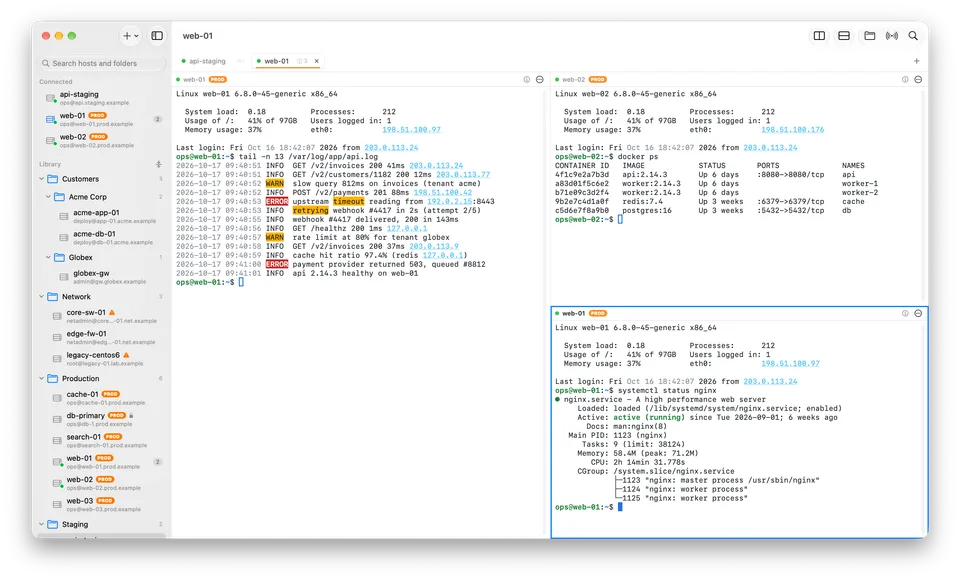
Every server. One window.

The fast, native SSH client for Mac power users: split panes, safe broadcasting, live log highlighting, SFTP and jump hosts, in one calm workspace.

  • macOSIn development
Explore Multiplex
PathDiff
In development

File Utilities

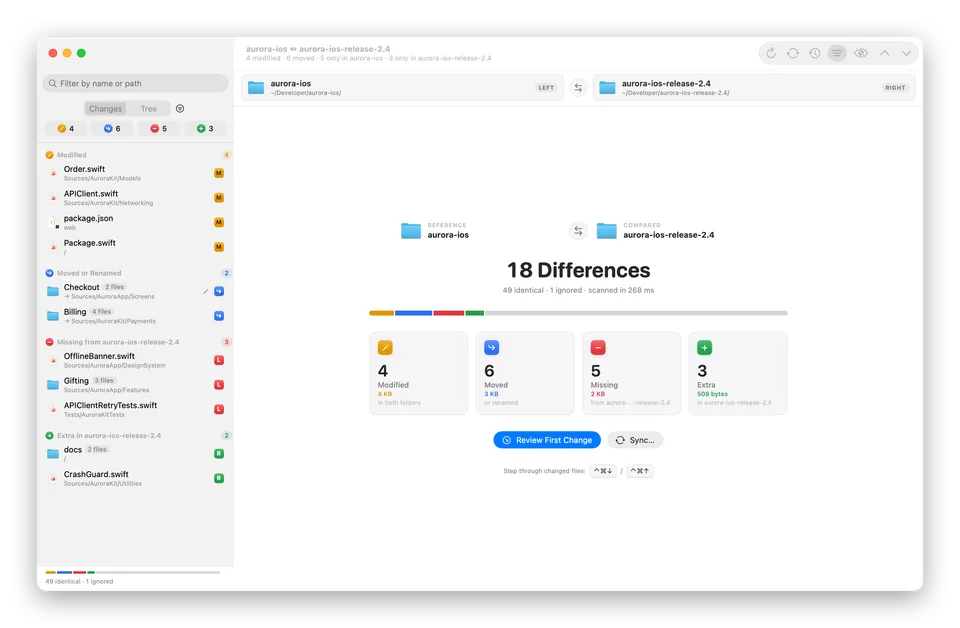
PathDiff

See exactly what's different. Then make it match.

Compare two folders, from code projects to photo backups, and see what's modified, moved, missing or extra. Then sync them safely, with a preview and undo.

  • macOSIn development
Explore PathDiff